Retro Watch Face – Wear OS 6
A downloadable project for Android
Every minute is a trip to the past!
Time feels very old now.
Details — What it is
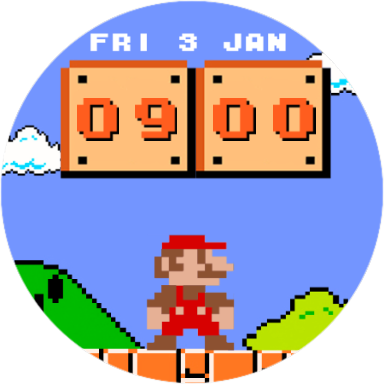
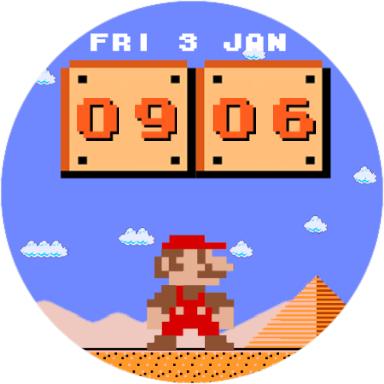
Retro Watch Time is a watch face for Wear OS. Its design comes from the best 8-bit games.
Choose between two pixelated characters, inspired by the golden age of 8-bit, and let them accompany you while time comes to life on your watch.
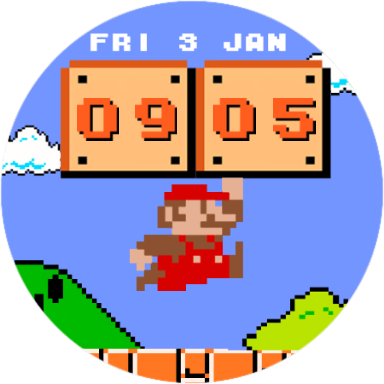
A figure jumps, hits a block... and time comes alive.
The minute doesn't just change. You feel the change.
This watch face honors the NES style. It mixes nostalgia and movement, turning your wrist into a mini arcade.
What's included:

- Animated block showing hours & minutes
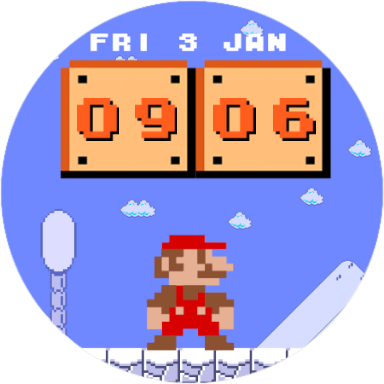
- Retro images change as time passes
- Tap the screen: make the figure jump
- Real NES style, pure pixel art
- Two characters selectable (more coming soon)
- Optimized for Wear OS 6 (WFF)
This is more than a watch. It's a little game that happens every sixty seconds.
If you love 8-bit consoles—or pixel art—Retro Watch Time is perfect for you.
Compatibility: Android Application Package (.apk) may not be compatible/usable on smartphones. This is a wearOS Watch Face for Smartwatches, compatible with most WearOS devices supporting Wear 2.0 (API level 28) or higher. Tested on a Samsung Galaxy Watch 5.
Fan-made project created for creative purposes. Not affiliated with any franchise or commercial company.

This watch face is distributed as an APK and must be manually installed (sideloaded) on your Wear OS watch. Basic knowledge of installing APK files on Wear OS devices is required.
Requirements
- A Wear OS watch compatible with Wear OS 3 / 4 / 5 / 6
- A phone or PC connected to the same network as the watch
- ADB enabled on the watch (Developer Options)
Recommended Method
One of the easiest ways to install the watch face is by using Wear OS Manager by Geminiman, available on Google Play. The app includes step-by-step instructions for connecting to your watch and installing APK files.
Download Wear OS Manager from Google Play
Installation Steps (Summary)
- Enable Developer Options on your watch.
- Enable ADB debugging and Wireless debugging.
- Connect to your watch using Wear OS Manager or ADB.
- Install the provided
.apkfile. - Once installed, select the watch face from the watch face selector on your watch.
Purchase
In order to download this project you must purchase it at or above the minimum price of $1.50 USD. You will get access to the following files:
Leave a comment
Log in with itch.io to leave a comment.